
Server rack inlet temperatures can climb from a normal 72°F toward dangerous thresholds in under 20 minutes after cooling stops. In that window, thermal throttling begins, hardware safety limits trigger shutdowns, and storage arrays are at risk. In a data center or server room, a commercial HVAC failure is not a comfort event. It is an operational emergency measured in minutes.
The downstream consequences stack fast. CPUs and GPUs throttle immediately. Servers shut down automatically. Core networking equipment going offline can take an entire facility dark. And any hardware that crosses thermal limits may have its warranty voided by the manufacturer.
These risks apply across environments: on-premise data centers, hospital server rooms, financial trading floors, medical offices with critical IT, and colocation suites. The difference between a contained incident and a significant loss is almost always the same thing: how quickly the response begins and whether a temporary cooling plan was in place before the failure occurred.
REIC Rentals provides temporary cooling equipment for data centers and server rooms, with same-day response capability in our core service areas. This article covers exactly what to do in the first hour of an HVAC failure and how to build the response plan that makes that hour manageable.
The First Five Minutes: Stabilize Before You Diagnose
The first five minutes are about buying time, not finding the root cause. Focus on the hardware.
Confirm that CRAC units, precision cooling units, or dedicated air conditioning equipment have actually stopped producing cold air. Listen for compressor and fan activity. Check building management system alarms. Log the time of failure, baseline temperature and humidity readings, and any fault codes showing on equipment controllers. That documentation matters for both the repair and any subsequent warranty claims.
While that is happening, open cold aisle containment doors to improve convection. Remove cable obstructions blocking airflow. Where access allows, temporarily open doors to adjacent cooler corridors.
Alert IT operations immediately so they can begin shedding non-critical workloads. If the room temperature is already above 85°F or climbing quickly, do not wait. Initiate temporary cooling deployment at once.
Check the Simple Things Before Assuming the Worst
Many apparent cooling failures are correctable control or power issues rather than catastrophic equipment loss. A few focused checks can save hours.
Verify that the dedicated breaker feeding the precision cooling units has not tripped. Electrical faults are a common cause of sudden shutdowns. Confirm UPS-fed controls still have power. Check the thermostat and BMS settings, as building management systems sometimes revert to incorrect schedules after power blips or software updates.
Document any fault codes exactly as displayed on unit controllers. Codes such as High Pressure Lockout, Fan Failure, or Compressor Overload tell the service technician what to look for and can significantly shorten the repair timeline.
If basic checks do not restore cooling within a few minutes, proceed as though the outage will last several hours. Move directly to workload reduction and the temporary deployment of cooling. A single failed relay can take down an entire system, and the repair timeline is unpredictable until a technician is on site.
Reduce IT Load to Slow the Temperature Climb
Every watt of IT load converts directly to heat when permanent cooling stops. Reducing workload is one of the fastest interventions available.
Keep mission-critical systems online: network switches, firewalls, storage arrays, and critical application servers. Shed development servers, test environments, batch jobs, and analytics workloads first. Anything with cloud or colocation redundancy should be failed over immediately.
Shutdown sequencing matters. Databases before application tiers, applications before web front ends. Storage integrity must be preserved: ensure all writes complete before powering down arrays.
Use rack-level temperature sensors and DCIM tools to identify hot spots. Top-of-rack positions and exhaust zones overheat first. Target those racks for load reduction. Track temperature every five minutes after taking action to confirm the interventions are working.
Deploy Temporary Cooling
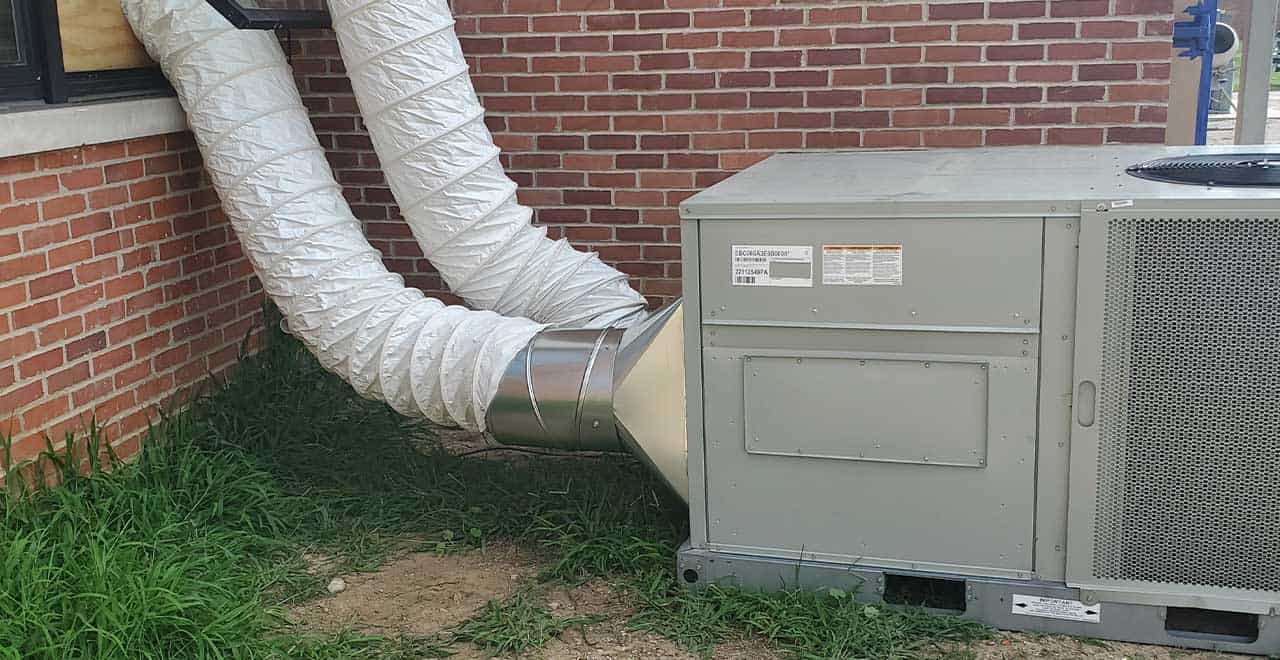
When the permanent system is down, temporary cooling is the only realistic way to preserve uptime while repairs or replacements are completed. REIC Rentals’ cooling equipment for data center applications includes portable air conditioners for individual server rooms and network closets, as well as larger systems for full data halls. HVAC accessories, including flexible ducting, route conditioned air directly into hot aisles or through ceiling pathways to the zones that need it most.
A typical emergency deployment starts with a call to REIC Rentals. Our team assesses room square footage and ceiling height, IT load, available electrical infrastructure, and physical access. Equipment is specified, dispatched, and commissioned as quickly as logistics allow. In many facilities, units connect to existing electrical panels and are operational within hours.
Hot exhaust from temporary cooling units must be routed out of the room, not back into the space. Recirculating hot air defeats the purpose and can worsen conditions. Our technicians coordinate with the facility and IT teams to confirm airflow direction and prevent short-circuiting before the units go live.
One challenge our teams commonly help data center operators navigate is unplanned access and logistics coordination. A pre-incident site survey through REIC Rentals documents power connection points, staging areas, and access routes so that, when the call comes, deployment begins immediately rather than requiring a mid-event assessment. Request a quote to start that conversation.
Coordinating Temporary Cooling With Permanent Repair
Temporary cooling and permanent HVAC repair run in parallel, not in sequence. Contact your HVAC service provider at the same time you contact REIC Rentals. Share fault codes, observed symptoms, unit types, and recent maintenance history with both teams.
While repair technicians address the root cause, temporary cooling maintains stable conditions and prevents repeated thermal cycling, which stresses electronics as much as sustained heat does. A facility that runs hot, cools briefly, and then runs hot again takes more cumulative damage than one that maintains a steady, elevated temperature while repairs proceed.
For extended outages or planned maintenance windows, REIC Rentals can right-size longer-term rental configurations to cover a chiller replacement, a full system upgrade, or a commissioning period before permanent systems come back online.
Humidity and Air Quality During a Cooling Crisis
Temperature gets the attention, but humidity matters too. When permanent cooling coils go offline, the dehumidification they normally provide stops as well. If emergency ventilation introduces outdoor air, humidity can swing significantly in either direction. Excessive humidity risks condensation on circuit boards. Very low humidity increases the risk of static discharge. Most IT environments target 40-60% relative humidity. REIC Rentals can supply drying and dehumidification equipment, alongside cooling, to maintain both temperature and humidity within the required ranges.
Keep delivery doors closed when not actively moving equipment. Avoid portable fans that blow unfiltered dust into racks. Maintain basic filtration on any temporary air paths. These measures protect the electronics that temporary cooling is designed to keep online.
Build the Response Plan Before the Failure Occurs
Every HVAC failure in a data center or server room is a rehearsal for the next one. The difference lies in whether the facility responds according to a documented plan or improvises under pressure.
A practical pre-incident checklist covers the key decisions that slow down reactive deployments:
- Document power connection points and staging locations for temporary cooling equipment.
- Confirm available electrical capacity and voltage for units that may be needed.
- Define temperature thresholds that trigger load shedding and staged shutdown.
- Assign decision authority so deployments can be initiated without approval delays.
- Pre-arrange a relationship with REIC Rentals before an event requires one.
REIC Rentals supports data center operators and facility managers through pre-incident planning, emergency response, and support for planned maintenance windows. Explore the full range of cooling solutions and HVAC accessories, or request a quote to build your commercial HVAC failure response plan before the next event makes it urgent.
1.888.356.1880 | in**@**ic.com | reic.com
Service You Trust. Equipment You Need.
